Thursday, 15 December 2011

JC: Updated Digipak and booklet
Following feedback on the print out of our work, we were asked by Miss Fernandez to alter the layout of our Digipak and make minor adjustments to it. Here are (hopefully) our final designs for the Digipak.
Following feedback on the print out of our work, we were asked by Miss Fernandez to alter the layout of our Digipak and make minor adjustments to it. Here are (hopefully) our final designs for the Digipak.
 |
| Alex's booklet outer cover |
 |
| Alex's booklet inner cover |
 |
| My Digipak Design |
JC: How did you use media technologies in the construction and research, planning and evaluation stages?
How did you use media technologies in the construction and research, planning and evaluation stages?
Media processes and technologies have played a crucial role throughout the advanced portfolio module.
 |
| Youtube user feedback |
 |
| Survey monkey |
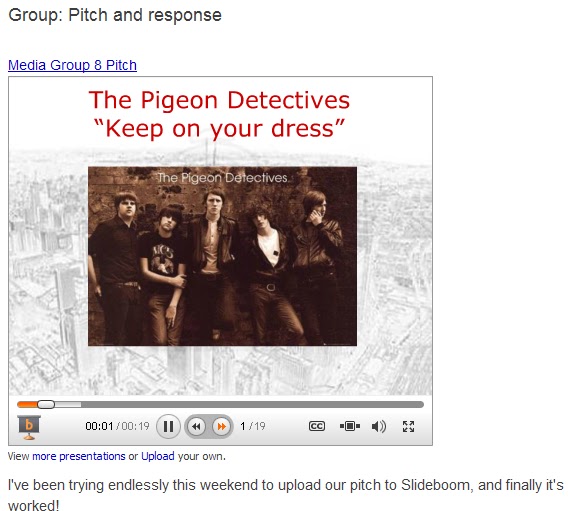 Throughout the creative process, we have used a range of web 2.0 applications to aid our production and ideas development. Using Blogger has allowed us to create a production log which can then be shared with internet users but more importantly each member within the group, which has allowed us to share ideas and alter them democratically (through a majority), ultimately leading to an end product that we as a group are happier with. YouTube, another application from the Google group was of great use for us; we used the site to upload our initial ideas, animatic, rough cuts and final videos, which allowed us primarily to embed our videos on our blog thus showing evidence of our progress, but also as a secondary research tool. Although the data collected was more qualitative (for example, the number of likes or dislikes the video receives), some quantitative data was collected from (again, for example) any comments that were left on the video, allowing us to consider whether or not to make alterations based on user comments. We also shared our work through the social networking sites of Facebook and Twitter, which allowed us to broadcast our music video to friends and followers who could also give us feedback. This allowed us to gauge an audience feeling about our piece, which was useful for our process because testing our product at each stage allowed us to see at different points whether or not the audience understood our concept. We also used SurveyMonkey in the planning stage of our concept development to test our ideas, and the feedback from this was used in our pitch and was also taken into account when we were producing our video. In addition to these we media applications, we also used Microsoft Powerpoint to create a slideshow for our pitch, and then uploaded it to Slideboom in order to embed it on our blog.
For both the Foundation and Advanced Portfolio production, the blog has been the most significant media tool used in our creative processes. It has been an excellent resource for the documentation of thoughts, write-ups and work exhibition, appearing in a more aesthetically pleasing manner than, for example, a paper document. It has allowed us to integrate examples of other artists’ work when talking about them thus allowing a reader to understand what we mean and what we are referring to, whilst also allowing us to highlight key words within our work which exaggerate the point which we want to make. Along the way, there were only minor problems I experienced with the application; when logging in, if the stay signed in box was ticked then we would be unable to comment on any posts. The image layout within each post was also difficult to alter because the image movement was not flexible, and finally the background design has been difficult to alter, because a number of the images which we have wanted to use have exceeded the alloted file size.
Our animatic was an area in which we could perhaps have improved. Although we had most of the shots we had agreed to shoot included within it, there was little description of what we intended to show within each shot so for the outside viewer it might have been a little unclear what exactly it was that we intended to show. However, despite not looking back at the animatic on a regular basis, the process of creating the storyboard was useful because it was the first opportunity we had to put together our creative ideas and grasp what they might look like.
 ICT played a substantial part in reaching our audience. Because we uploaded our video to YouTube, we were able to exhibit our music video for no cost at all. Furthermore, the use of social media sites where registration is free meant that we could also advertise our products for free. This is an attractive method for an upcoming band who will have small budgets (in the same way as The Pigeon Detectives would have had at the time the album was released).

 The use of Photoshop is for me the area where I both excelled and improved the most over the course of the production. I was initially enthused by my first concept ideas, however I was uncertain about whether or not they could be carried across into my final piece because my first drawings and designs had been made on paint. Although we ended up not using the image, the design that I found most rewarding to create was the fire alarm hand which was modified to make a guitar. It was to sit on the back cover, next to the track listing. Initially, I photographed this sign and then copied it onto my editing computer. Once I had saved the image to the hard-drive, I set about editing it in Photoshop. Initially, I extended the ‘pushing finger’ to join with the alarm button, and then rubbed out the middle knuckles of the hand. This was difficult because I had to smooth the edges in order to give the appearance that the guitar ‘arm’ was rounded. I then joined the other side by the thumb and added a black ‘dial’ to the body of the guitar, which was done simply by using the paintbrush tool and marking a single four pixel dot. Ultimately we decided to scrap this because there were concerns that it didn’t look like a guitar, however I found the process to be nonetheless useful as I gained vital experience in using the program.
 In addition to this, I also had the idea of putting a band photo in our digipak because there was otherwise no visual presence of the band members in our promotional material, and I also liked the result of our band photo on the
The font I used on the digipak design was chosen due to it’s connotations; I chose the font, named Heroes Assemble because it reminded me of the font used in comics - such as Superman - which feature superheroes. Writing the word Emergency in this font gave it superhero status in the same way that adding a cape to our emergency exit man had done, and because superheroes are often found in Emergency situations I felt this font would be a good one to use. I downloaded the font from the website Dafont.com which meant that writing it out would not result in it becoming pixelated. I then selected the normal version (i.e. not bold, in italics etc.) and wrote out the band name in the top Left hand corner (so it would be the first thing the consumer read) and the album name in the bottom right hand corner (so it was the last thing they read and therefore made the connection between then image and the name) so neither covered any of the white space.


Premier was the editing software programme we used to assemble our music video. Whilst my attention was focused predominantly on Photoshop creating our digipak – we delegated different tasks to each of us to save time – I was involved in the creative ideas process and edited a couple shots that were included in the shoot. Once we had finished filming, we captured the shots and then opened them in Premier ready to edit . For me, my most iconic piece of editing was the jump cuts from Brighton . After importing all of the shots that we had recorded, I then dragged the song track onto the timeline and then also dragged the chosen shot onto it, above the music. To begin with I moved the selected shot along to the part of the track which it roughly belonged in, and then eventually dragged it onto the point where Sam’s stationary shot lined up with the first power chord in the music. I then cut the video until I was stationary in shot, and then Alex and finally Cameron. Once this had been done, I moved them next to each other and made sure each jump cut was in time with the power chord change. After this, I dragged the selection bar across to this section of the track so that only this part would be exported. Once this was done, I saved the file to the D-Drive and once this was complete, exported it onto YouTube.
I also created the sped up Police car shots, by importing the shot into the editing timeline and decompressing time on it, and used the same tool to alter the speed of the car travelling through the tunnel towards Brighton . In addition, I also added a black and white effect to these shots, as we had done throughout the rest of the piece.
 The editing process was made a lot easier this time around, as we switched a couple of weeks into editing from Adobe Premier version 8.0 to version 9.0. Whereas previously playback had been difficult as a number of un-rendered shots would judder, our playback on version 9.0 was of good enough quality for us to be able to pinpoint where we would need to start and stop lip-synching. This was nonetheless our most difficult process, particularly considering that we had nearly five minutes worth of video to synchronise, given that our video was performance based.
  Similarly, we had only a limited number of problems with our cameras – although the major problem, battery life, was more fundamental to our construction. For instance, having made the trip down to
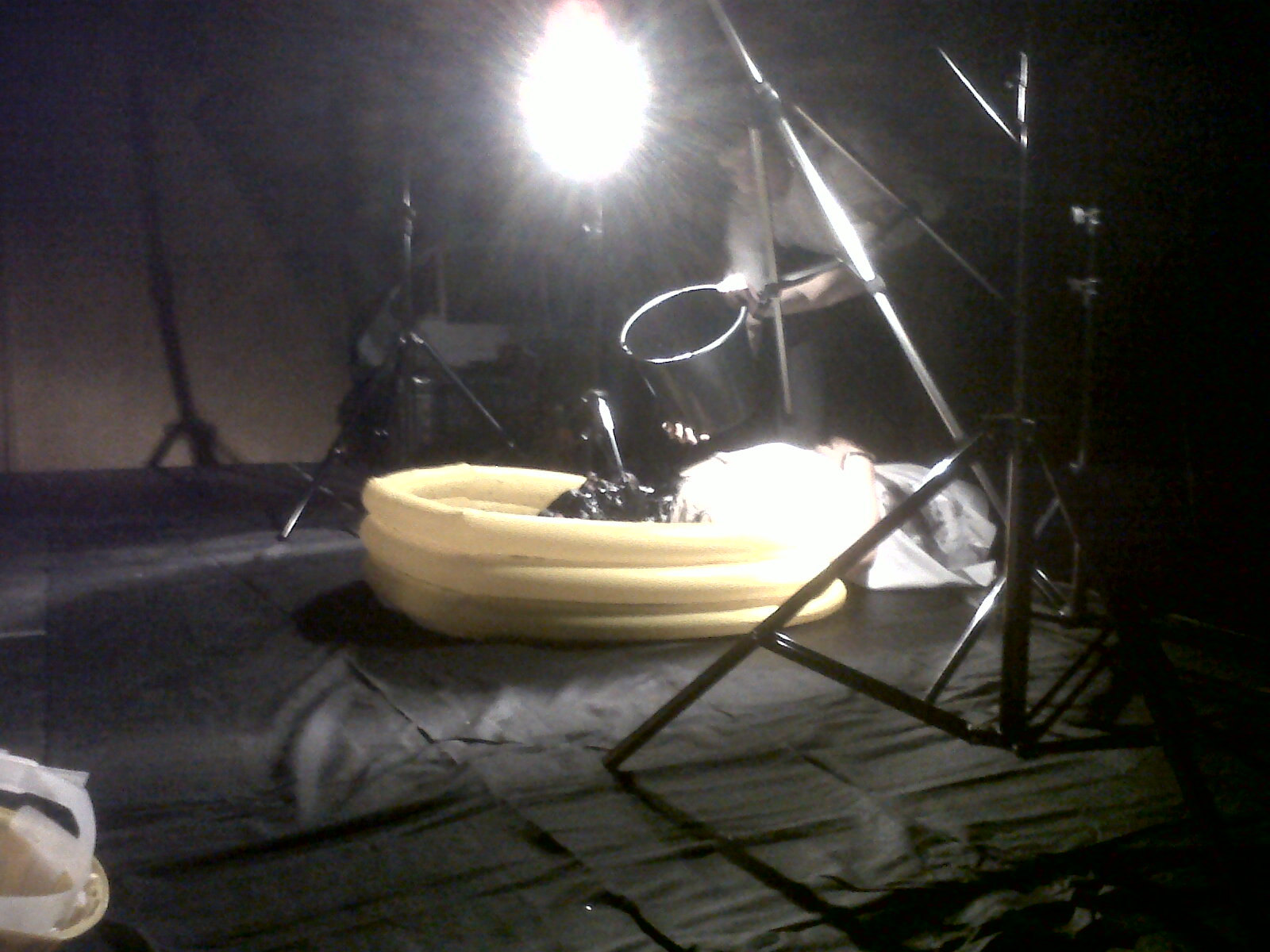 We also used profilmic effects to construct our music video and therefore used media technologies both on set and in the editing process. Filming from a hanging frame at close-up length, we filmed Cameron on a 60 frames per second HD camera in a paddling pool with gravel, giving the visual mirage of a beach, and threw both water and paint at him. This was similar to ‘No Rest’ by Dry the River, where the band members are soaked with water. When the footage was slowed down, the ‘splatting’ looked fantastic and was the image that both we and the audience appeared to be left with. Furthermore, our use of Cameras (both a Panasonic 25fps HD camera and a Sanyo xacti 60fps HD camera) and accessories such as a Fish-eye lens and a track and dolley (in the drama studio when filming our band performance) in my opinion has significantly improved the quality of our footage.
Tuesday, 6 December 2011
CM: Editing Process
For our music video I was editing on Adobe Premiere 10.0 at home and Adobe Premiere 9.0 at school because it gave our group extra-time outside of school to edit our production. Due to the fact that I was the only one at mine and had to make all creative decisions alone during the "home edit". Then so that the group could view the work and comment their creative ideas I would upload the footage to Youtube and then embedded it onto the blog. This allowed a group collaboration and we could then edit as a group the following lesson to change what needed changing. This has been greatly beneficial as last year for our AS coursework "Hitlist" we had only Adobe Premiere 8.0 and had poor playback taking much longer to edit. The new software has made lip-synching possible for our music video which is about 80% of our video, so our editing ability and speed has improved due to updated software.

For all our performance shots we turned the Brightness down to -33.2, the contrast and saturation up to 142.3, this made the performance seem much more authentic and the background became hidden rather than being three cardboard planks behind the band. Also by having this lighting controlled it enabled us to create the illusion of a crowd as when the camera looked out from the stage it was pitch black due to the spotlight creating low key lighting.


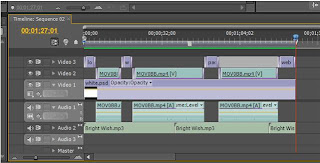
To create our performance base layer, we took the six different versions of our performance. Then we layered them on the time line above the audio track. Then we watched put the best performance on the top layer and when there was a inadequate bit of footage we would cut it and reveal the underneath performance we kept doing this until we had the a well cut and interesting performance video.
Our music video needed to be more than just a performance video in order to retain the interest and repeatablity for our audience. All our chorus's were intercut with abstract shots, our favoured abstract shot was the paint scene. To do this we filmed some slow-motion paint throwing and also smashing of wood/guitars/boxes, this helped to create a sense of anger and rebellion. We were inspired by Martin De Thurah's work especially "Carpark North: Human" as had slow-motion liquid to face sences. This created repeatablity within our music video, as made the audience question: why was this happening? Where is this person? Where are they performing? This helps to create a narrative fuzz and thus keeps the audience watching music video and eventually go and buy the track and so is a great promotional tool.


For the editing process it took much longer than "Hitlist" due to the amount of footage needed to retain interest and also "Hitlist" was only two minutes long. Whereas our music video was four minutes and forty eight seconds. A convention of music videos are the amount of cuts that are needed and also the many different types of shots. During our planning stage we looked at other music videos such as, Natty "July". Which had over 150 cuts, whilst watching it one didn't notice this however when technically analysing it I realised just how much footage was needed to create a captivating music video. The editing process took much longer this year than last due to the amount of cuts that were needed. However I feel we created a much better production at the end of the course.

For all our performance shots we turned the Brightness down to -33.2, the contrast and saturation up to 142.3, this made the performance seem much more authentic and the background became hidden rather than being three cardboard planks behind the band. Also by having this lighting controlled it enabled us to create the illusion of a crowd as when the camera looked out from the stage it was pitch black due to the spotlight creating low key lighting.


To create our performance base layer, we took the six different versions of our performance. Then we layered them on the time line above the audio track. Then we watched put the best performance on the top layer and when there was a inadequate bit of footage we would cut it and reveal the underneath performance we kept doing this until we had the a well cut and interesting performance video.

Our music video needed to be more than just a performance video in order to retain the interest and repeatablity for our audience. All our chorus's were intercut with abstract shots, our favoured abstract shot was the paint scene. To do this we filmed some slow-motion paint throwing and also smashing of wood/guitars/boxes, this helped to create a sense of anger and rebellion. We were inspired by Martin De Thurah's work especially "Carpark North: Human" as had slow-motion liquid to face sences. This created repeatablity within our music video, as made the audience question: why was this happening? Where is this person? Where are they performing? This helps to create a narrative fuzz and thus keeps the audience watching music video and eventually go and buy the track and so is a great promotional tool.


For the editing process it took much longer than "Hitlist" due to the amount of footage needed to retain interest and also "Hitlist" was only two minutes long. Whereas our music video was four minutes and forty eight seconds. A convention of music videos are the amount of cuts that are needed and also the many different types of shots. During our planning stage we looked at other music videos such as, Natty "July". Which had over 150 cuts, whilst watching it one didn't notice this however when technically analysing it I realised just how much footage was needed to create a captivating music video. The editing process took much longer this year than last due to the amount of cuts that were needed. However I feel we created a much better production at the end of the course.
GROUP: Audience Research ideas and progress
Rather fortuitously, yesterday afternoon we were able to gather a group of 12 peers and screen our music video to them, before asking them some questions about the piece. Some of the questions for this focus group had been thought up before we shot the piece, whilst others were made up on the spot. Cameron asked the questions whilst I filmed the sequence to ensure that we would have more than one attempt to record the data in case we missed anything out.
In total, we asked six questions:
Did the video conform to the genre?
This was probably the question where we had the most mixed reviews; although the majority of the people said yes to the question, two people both said they were confused as to why paint was being thrown at Cameron, but nonetheless said that they had enjoyed the shot. One person said that they thought the camerawork - particularly in the studio - was fantastic, whilst another said that the backlighting in the studio gave it a 'tour performance' feel.
After watching the video, what image were you left with?
For this section, the image that seven of our group were left with was the shot of paint being thrown at Cameron, whilst another thought that the slow motion shot of paint dripping from Cameron (inspired by Martin de Thurrah) was their most iconic shot. Other highlights for our peers were the shot of myself screaming into the camera, the jump cuts, archway shot and opening performance.
Is the video a good promotion of the track?
One person said they were uncertain as to whether or not the music video worked with the track, but elsewhere there was unanimous support for our video and the Keep on Your Dress soundtrack. One suggested that it could be enhanced was promoting the band within the video - by placing 'mock up' posters or similar within our music video.
What word or emotion did it evoke?
Again for this question there was clear support within the group for once word - rebellion, which was chosen by half of the group. Similar words such as anger and frustration were also chosen, with the only off topic choices being inspirational and indie.
What stage do you think the band are at in their career?
The majority of the group said that from watching the video purely, they thought that the band were at the beginning of their career, as the video had a small home-video feel to it.
Did you enjoy the video?
To our relief, our music video got the thumbs up from all of the people we surveyed.
For us, the next step now is to interpret this data and look at what that means for our evaluation - what can we gain from this research? We do however intend to continue to our audience research, with another potential focus group for both our music video and digipak/advertisment designs, and a possible questionnaire to give our research more credibility and validity. As our video has also been posted on Youtube, we can gain response from this source - through video likes and user comments.
In total, we asked six questions:
Did the video conform to the genre?
This was probably the question where we had the most mixed reviews; although the majority of the people said yes to the question, two people both said they were confused as to why paint was being thrown at Cameron, but nonetheless said that they had enjoyed the shot. One person said that they thought the camerawork - particularly in the studio - was fantastic, whilst another said that the backlighting in the studio gave it a 'tour performance' feel.
After watching the video, what image were you left with?
For this section, the image that seven of our group were left with was the shot of paint being thrown at Cameron, whilst another thought that the slow motion shot of paint dripping from Cameron (inspired by Martin de Thurrah) was their most iconic shot. Other highlights for our peers were the shot of myself screaming into the camera, the jump cuts, archway shot and opening performance.
Is the video a good promotion of the track?
One person said they were uncertain as to whether or not the music video worked with the track, but elsewhere there was unanimous support for our video and the Keep on Your Dress soundtrack. One suggested that it could be enhanced was promoting the band within the video - by placing 'mock up' posters or similar within our music video.
What word or emotion did it evoke?
Again for this question there was clear support within the group for once word - rebellion, which was chosen by half of the group. Similar words such as anger and frustration were also chosen, with the only off topic choices being inspirational and indie.
What stage do you think the band are at in their career?
The majority of the group said that from watching the video purely, they thought that the band were at the beginning of their career, as the video had a small home-video feel to it.
Did you enjoy the video?
To our relief, our music video got the thumbs up from all of the people we surveyed.
For us, the next step now is to interpret this data and look at what that means for our evaluation - what can we gain from this research? We do however intend to continue to our audience research, with another potential focus group for both our music video and digipak/advertisment designs, and a possible questionnaire to give our research more credibility and validity. As our video has also been posted on Youtube, we can gain response from this source - through video likes and user comments.
AT: Editing Process
For our music video we were editing on adobe premiere 9.0, this was extremely faster than the previous version we were working on. This made the editing process go alot smoother, than previously when creating our movie opening, especialy as we were dealing with more footage at a faster cutting rate.
 The main editing technique we used was 'image control' this enabled us to change the brightness, saturation and contrast, this is what made our performance look authentic as we had a wooden backdrop in the drama studio were we filmed our performance and made it less evident that it was a studio instead it was meant to be a live performance on stage.
  For all our performance shots we turned the brightness down, and contrast up and then colour saturation up. This made the performance look much more authentic and gave more interesting lighting.
 To keep interest in our music video we intercut the performance with our 'abstract shots' In our abstract shots we decided to have it juxtaposed with the performance and used it to increase our cutting rate, for example when the tempo builds up in the chorus we have constant intercutting of driving along shots. This was then transformed into black and white again using the image control turning saturation right down (black and white) contrast turned up to bring out the backdrop more then brightness down to create a better feel for it.
 We were inspired by Martin De Thurah's work especially the use of slow motion, this was to connote the rebelion in a different way to normal conventions, this is evident in the indie genre breaking mainstream conventions. In order to slow down the footage we had to shoot it in 60FPS, then slow it down by half speed.
The main editing technique we used was 'image control' this enabled us to change the brightness, saturation and contrast, this is what made our performance look authentic as we had a wooden backdrop in the drama studio were we filmed our performance and made it less evident that it was a studio instead it was meant to be a live performance on stage. For all our performance shots we turned the brightness down, and contrast up and then colour saturation up. This made the performance look much more authentic and gave more interesting lighting.To keep interest in our music video we intercut the performance with our 'abstract shots' In our abstract shots we decided to have it juxtaposed with the performance and used it to increase our cutting rate, for example when the tempo builds up in the chorus we have constant intercutting of driving along shots. This was then transformed into black and white again using the image control turning saturation right down (black and white) contrast turned up to bring out the backdrop more then brightness down to create a better feel for it. We were inspired by Martin De Thurah's work especially the use of slow motion, this was to connote the rebelion in a different way to normal conventions, this is evident in the indie genre breaking mainstream conventions. In order to slow down the footage we had to shoot it in 60FPS, then slow it down by half speed.Monday, 5 December 2011
JC: Video feedback
On Monday, we had a viewing session of every group's videos and printwork. This was particularly useful given that we are now starting the evaluation process, as it gave us some constructive criticism and audience feedback on our works.
From a simple questions and answers piece from Miss Fernandez, we found that the most striking image that the class were left with was the use of black paint. A restless theme was recognised, and we were encouraged by the fact that nobody felt that the video dragged, especially considering that it is nearly five minutes in length. The one area that was highlighted as possibly not working was the use of the sped-up police cars.
In terms of what we could then go on to ask in any research questions, we were given three starters; what do the audience think of the artist? What point do they think they are at in their career? and what emotions does the video evoke?
From a simple questions and answers piece from Miss Fernandez, we found that the most striking image that the class were left with was the use of black paint. A restless theme was recognised, and we were encouraged by the fact that nobody felt that the video dragged, especially considering that it is nearly five minutes in length. The one area that was highlighted as possibly not working was the use of the sped-up police cars.
In terms of what we could then go on to ask in any research questions, we were given three starters; what do the audience think of the artist? What point do they think they are at in their career? and what emotions does the video evoke?
Subscribe to:
Posts (Atom)